
Download ThrottleStop – processor optimization, performance tuning, battery saving, Intel Core, real-time monitoring
Overview
ThrottleStop is a specialized utility designed to enhance the performance and efficiency of Intel Core i and Core 2 processors. Developed by Jason K. Menard, this application targets users seeking greater control over their system's processing capabilities. Its primary purpose is to optimize CPU behavior through customizable profiles and real-time monitoring, helping users achieve improved responsiveness, extended battery life, and stable operation under various workloads.
The app is particularly beneficial for laptop users who rely on their devices for gaming, web browsing, or productivity tasks. By adjusting processor speed and thermal behavior, ThrottleStop enables users to balance performance and power consumption based on their current needs. For instance, switching to 'Game' mode can unlock higher CPU performance during intensive applications, while 'Battery' mode reduces power draw for longer unplugged usage.
ThrottleStop operates within the broader ecosystem of system optimization tools, filling a niche for users who want granular control over their Intel processors without relying on manufacturer-specific software. Although the developer did not provide additional technical details about the app’s architecture or background, its focus on real-time feedback and preset configurations suggests a targeted approach to performance tuning. The app’s lightweight footprint and free pricing model further enhance its accessibility.
Key Features & Functionality
- Preset Profiles for Various Uses: ThrottleStop includes four predefined profiles—'Performance', 'Game', 'Internet', and 'Battery'—each tailored to specific user scenarios. The 'Performance' mode increases CPU frequency for faster processing, ideal for multitasking or content creation. 'Game' mode optimizes clock speeds for consistent frame rates during gameplay. 'Internet' mode balances speed and power efficiency for browsing and streaming, while 'Battery' mode reduces power consumption to extend laptop runtime.
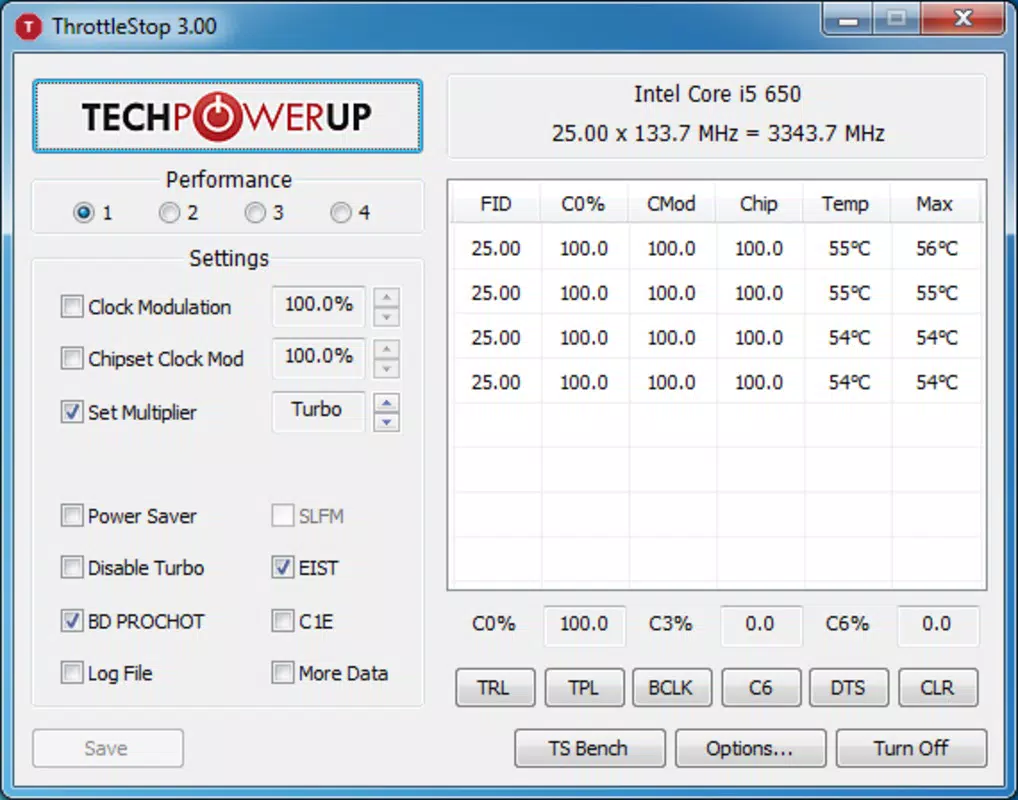
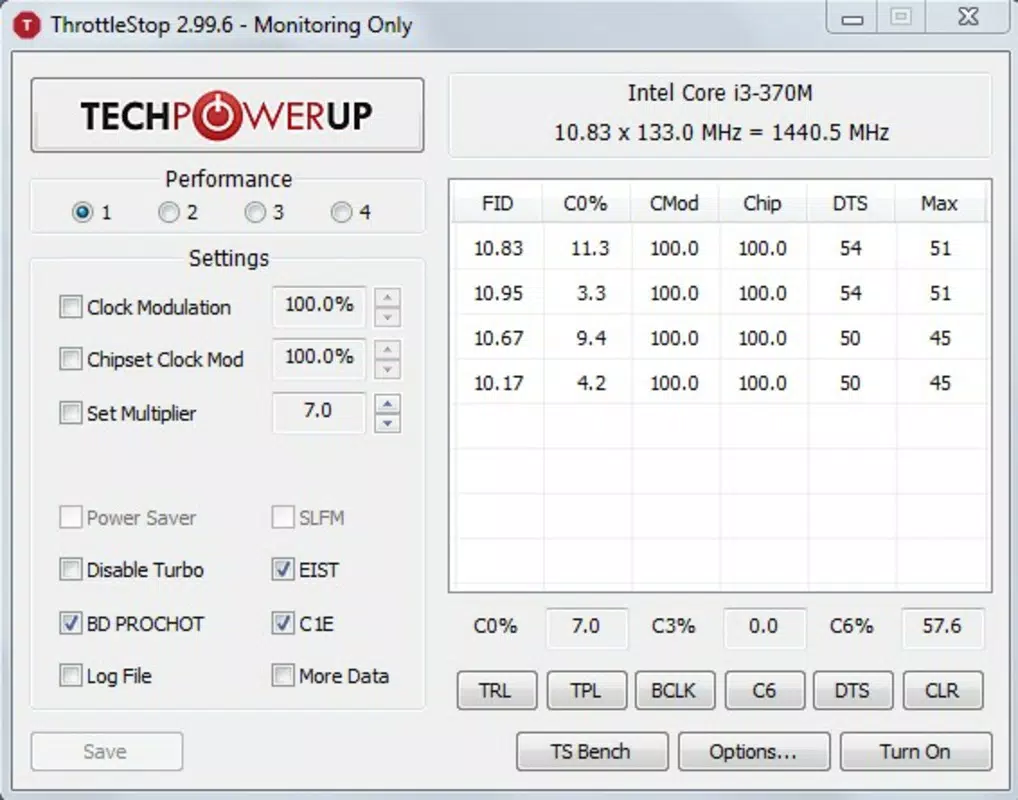
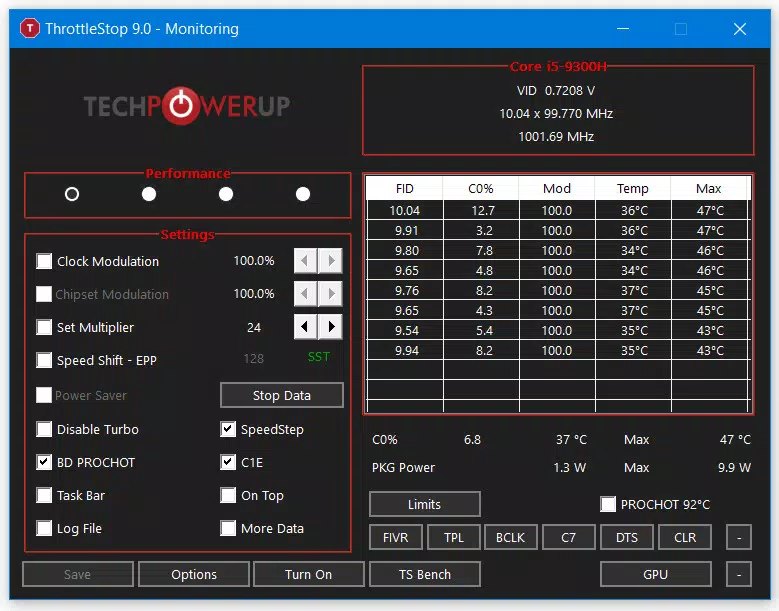
- Real-Time Speed and Temperature Monitoring: The application provides live updates on CPU clock speed and temperature. This feature allows users to observe how their processor behaves under load, helping identify thermal throttling or performance drops. Real-time visibility supports proactive system management, especially during prolonged use.
- Customizable Temperature and Speed Settings: Advanced users can manually adjust CPU frequency limits and temperature thresholds. These settings enable fine-tuning for specific workloads or cooling environments. However, the developer advises caution, as incorrect configurations may lead to instability or hardware stress.
- Enhanced Performance and Battery Life: By leveraging its profile system and customization tools, ThrottleStop allows users to dynamically adapt their processor’s behavior. This adaptability results in a smoother experience across different tasks and extends battery life during mobile use.
- User-Friendly Interface: Despite its technical nature, ThrottleStop features a clean and intuitive layout. Navigation is straightforward, with clearly labeled controls and visual indicators. This design ensures that even users with limited technical knowledge can access and benefit from core functionalities.
Interface, UX & Performance
ThrottleStop presents a minimalistic interface focused on functionality and clarity. The layout centers around real-time data displays, with key metrics such as current CPU speed and temperature prominently featured. Controls for switching profiles and adjusting settings are organized in a logical sequence, reducing the learning curve for new users.
Navigating between modes and viewing system feedback is seamless, with responsive interactions and immediate visual updates. The application does not rely on complex menus or layered workflows, which contributes to a smooth user experience. Although the developer did not list formal performance metrics, the app’s small file size of 2.1 MB suggests efficient resource usage.
Performance on different device categories appears consistent, given its lightweight nature. The application runs efficiently on systems with Intel Core i and Core 2 processors, maintaining stability even during extended sessions. Responsiveness is maintained across various Windows environments, and there are no reported issues with crashes or freezes. However, compatibility with newer Windows versions or hardware configurations was not fully disclosed.
Platform Compatibility & Technical Requirements
ThrottleStop is designed for the Windows platform and requires a compatible Intel Core i or Core 2 processor. The application is available in version 1.0.0.0 and has a file size of 2.1 MB, indicating a compact and lightweight installation. The developer did not specify minimum OS requirements or hardware specifications beyond the processor compatibility.
As the app is free to download and use, it is accessible to a wide audience. However, users should ensure their system meets the basic requirements for running Windows applications. Compatibility information was not fully disclosed, so users are advised to verify functionality on their specific setup before use. The app does not appear to require additional software or drivers, simplifying the installation process.
Pros and Cons
Pros
- Free to download and use
- Lightweight design with minimal system impact
- Four preset profiles for different usage scenarios
- Real-time monitoring of CPU speed and temperature
- Intuitive interface suitable for non-technical users
- Effective for extending battery life and boosting performance
Cons
- Specific system requirements were not listed
- Customization options may pose risks if misused
- Only supports Intel Core i and Core 2 processors
- Developer did not provide update frequency or support details
- Compatibility with newer Windows versions was not confirmed
FAQ
Is ThrottleStop safe to use?
Yes, when used according to the developer’s guidelines. The app does not alter system firmware or BIOS settings. However, users should exercise caution when adjusting advanced settings, as incorrect configurations may affect system stability.
Can I use ThrottleStop on any laptop?
ThrottleStop is compatible with laptops equipped with Intel Core i or Core 2 processors. It does not support AMD or other non-Intel CPUs. Compatibility with specific models depends on the underlying processor and system configuration.
Does ThrottleStop require an internet connection?
No, the application operates offline. It does not require internet access to function, making it suitable for use in environments with limited connectivity.
How often should I update ThrottleStop?
The developer did not specify an update schedule. Users are advised to check for updates periodically through the official source to ensure they have the latest version with potential bug fixes or improvements.
Can I customize settings beyond the preset profiles?
Yes, ThrottleStop allows users to manually adjust CPU speed and temperature thresholds. These customization options provide advanced control but require a solid understanding of processor behavior to avoid unintended consequences.
Final Thoughts
ThrottleStop stands out as a powerful, no-cost utility for users aiming to maximize the performance and efficiency of their Intel Core processors. With its well-structured preset profiles, real-time monitoring, and user-friendly design, it offers tangible benefits for both casual and advanced users. Whether you're a gamer seeking consistent frame rates, a remote worker needing longer battery life, or a tech enthusiast fine-tuning system behavior, ThrottleStop delivers practical value.
While its functionality is limited to specific Intel processors and lacks detailed technical documentation, its lightweight nature and free access make it a compelling choice. For those looking to take control of their system’s CPU performance, ThrottleStop is a reliable and effective tool.
Download ThrottleStop now


